Polls for Gmail, now for Chrome

Lightning fast
Ridiculously beautiful.

No loading between clicks. A poll builder you’ll actually enjoy. Right inside Gmail.

Add to Chrome, it’s free See how fast
Desktop Chrome only. On your phone? Get the Gmail add-on · Compare add-on vs extension
Speed

No loading. Ever.

The add-on waits on Google’s servers after every click. The extension runs right in your browser, so every tap is instant.

Gmail add-onLoading…

  1. Open the poll builder
  2. Switch to Date & time
  3. Add three times
  4. Insert into the email

Chrome extensionDone

  1. Open the poll builder
  2. Switch to Date & time
  3. Add three times
  4. Insert into the email
Illustrative. Add-on wait times vary with Google’s servers.
Design

Ridiculously beautiful.

A custom-designed builder and sidebar, not standard add-on cards.

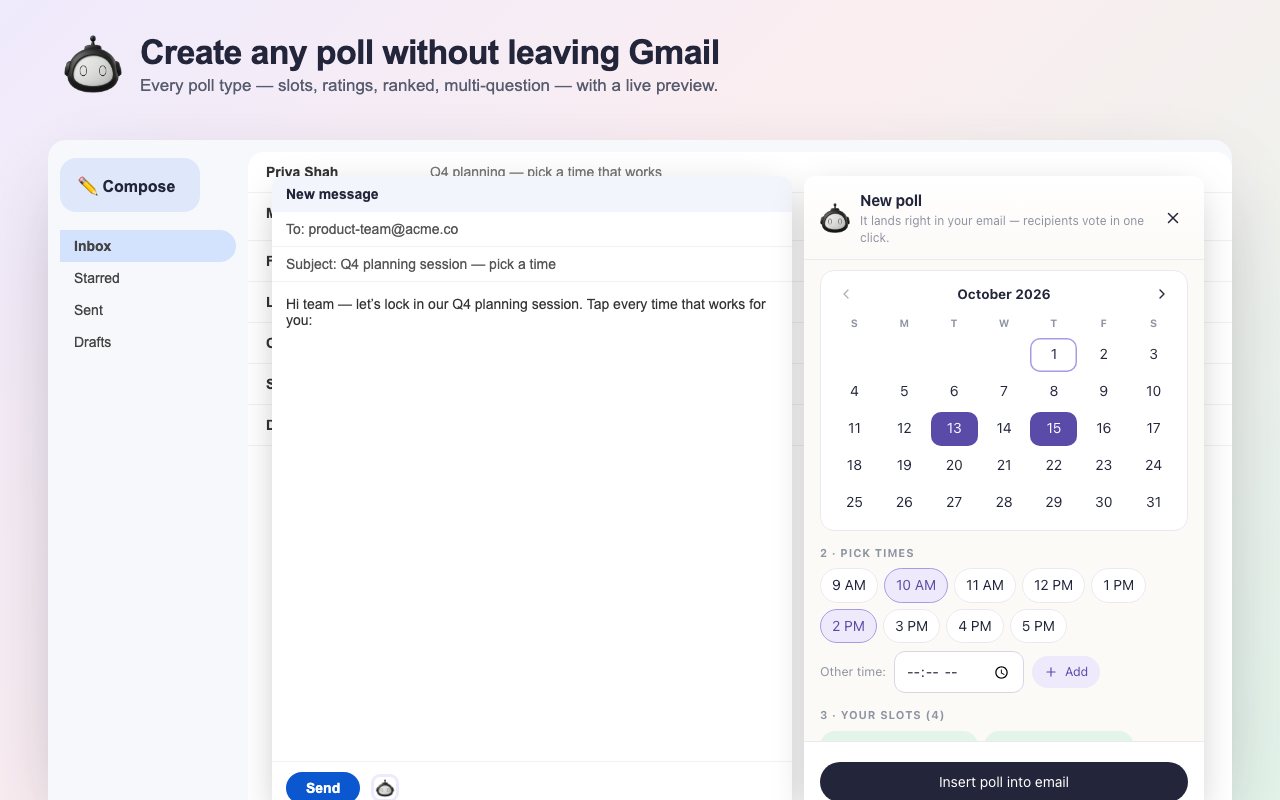
The Polls for Gmail builder beside a Gmail draft, with a calendar and time slots
Builder beside your draft
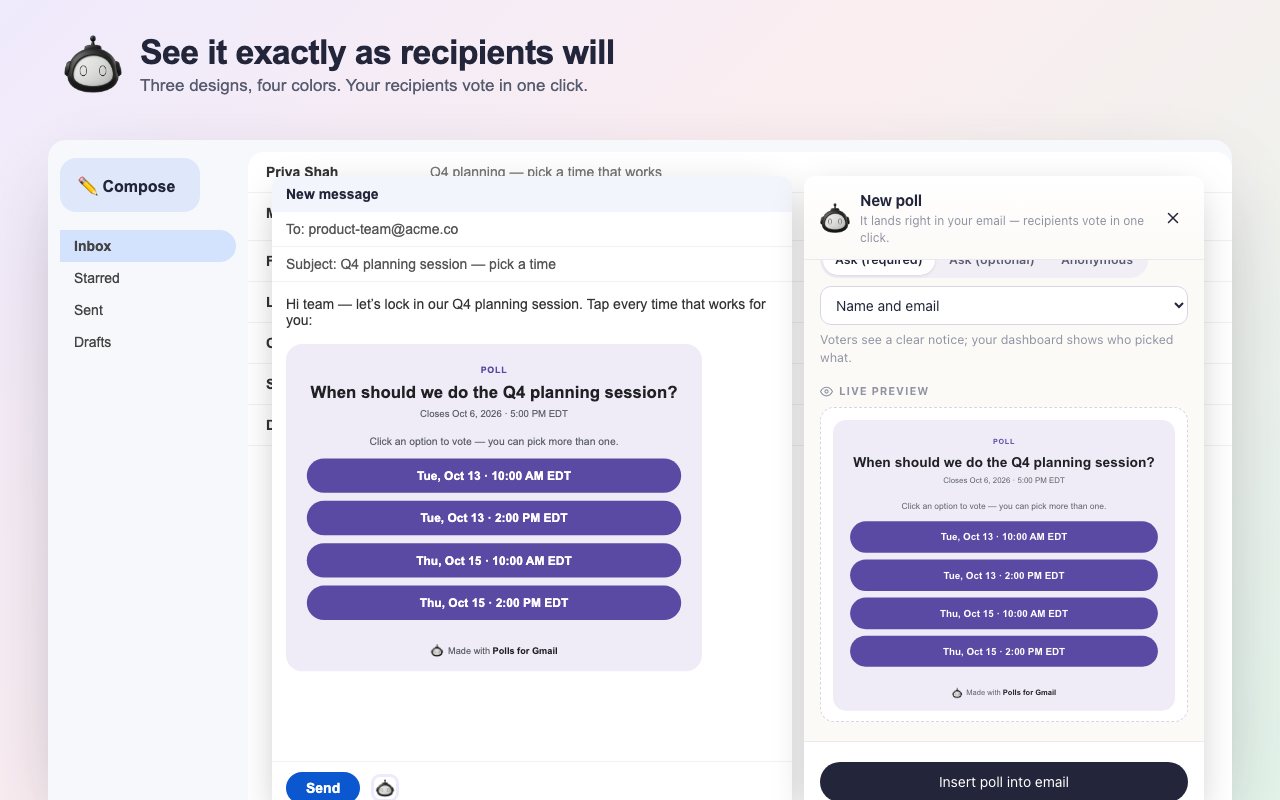
A live preview of the poll card inside the email
Live preview
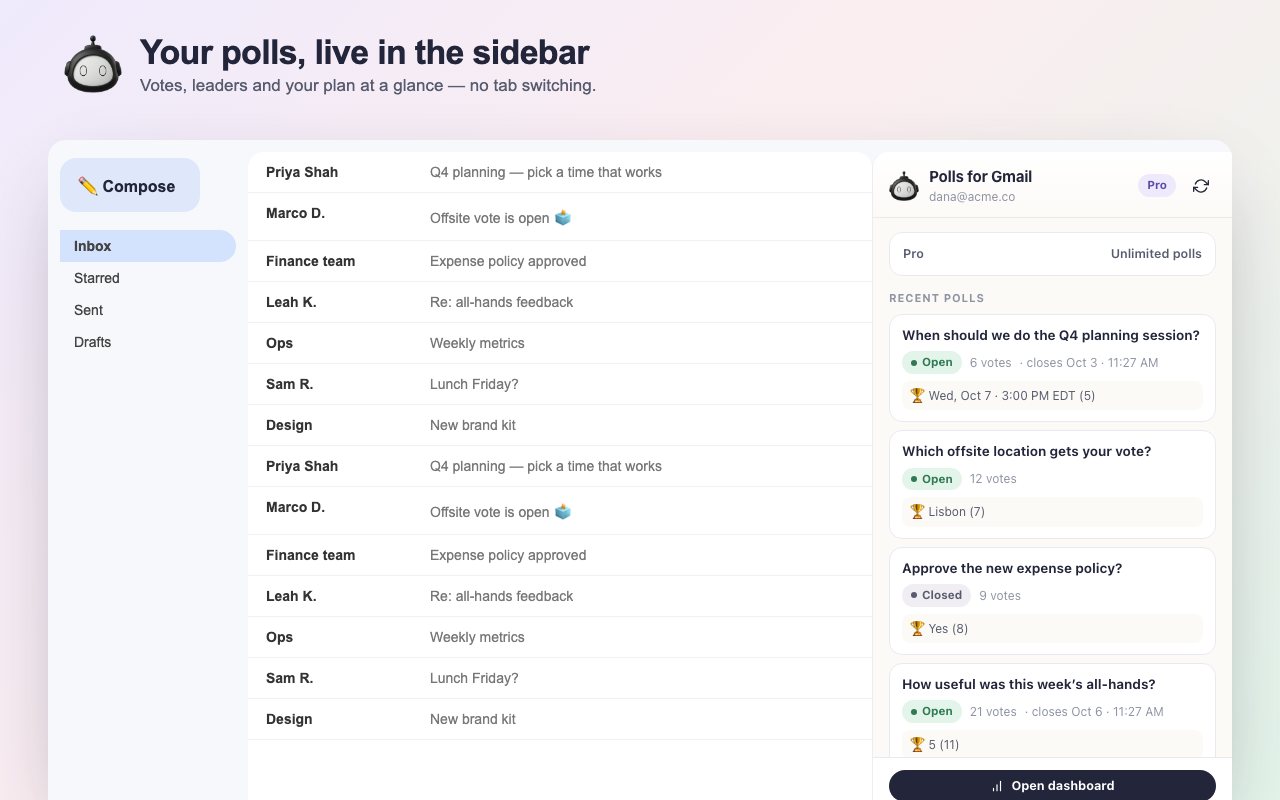
The Polls sidebar in Gmail with live vote counts
Live sidebar
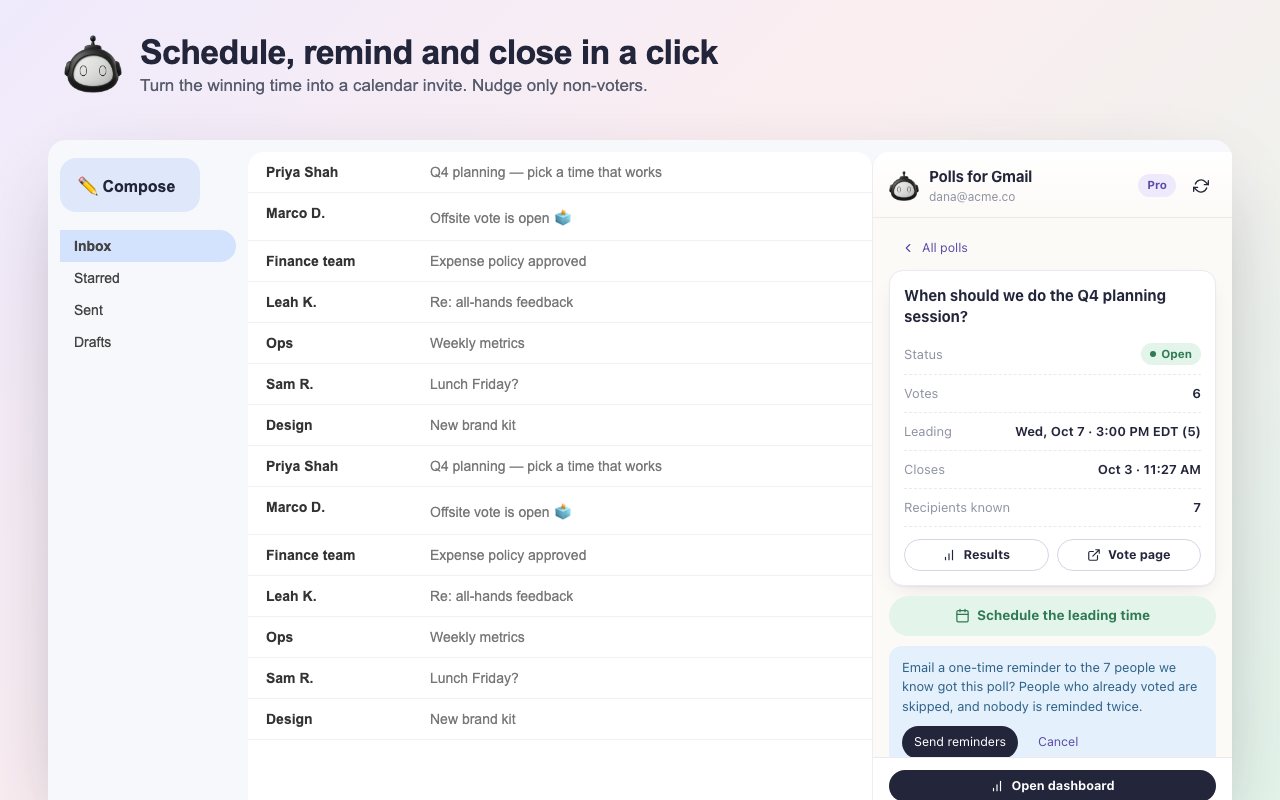
Poll detail with Schedule, Remind non-voters and Close voting
Schedule in one click
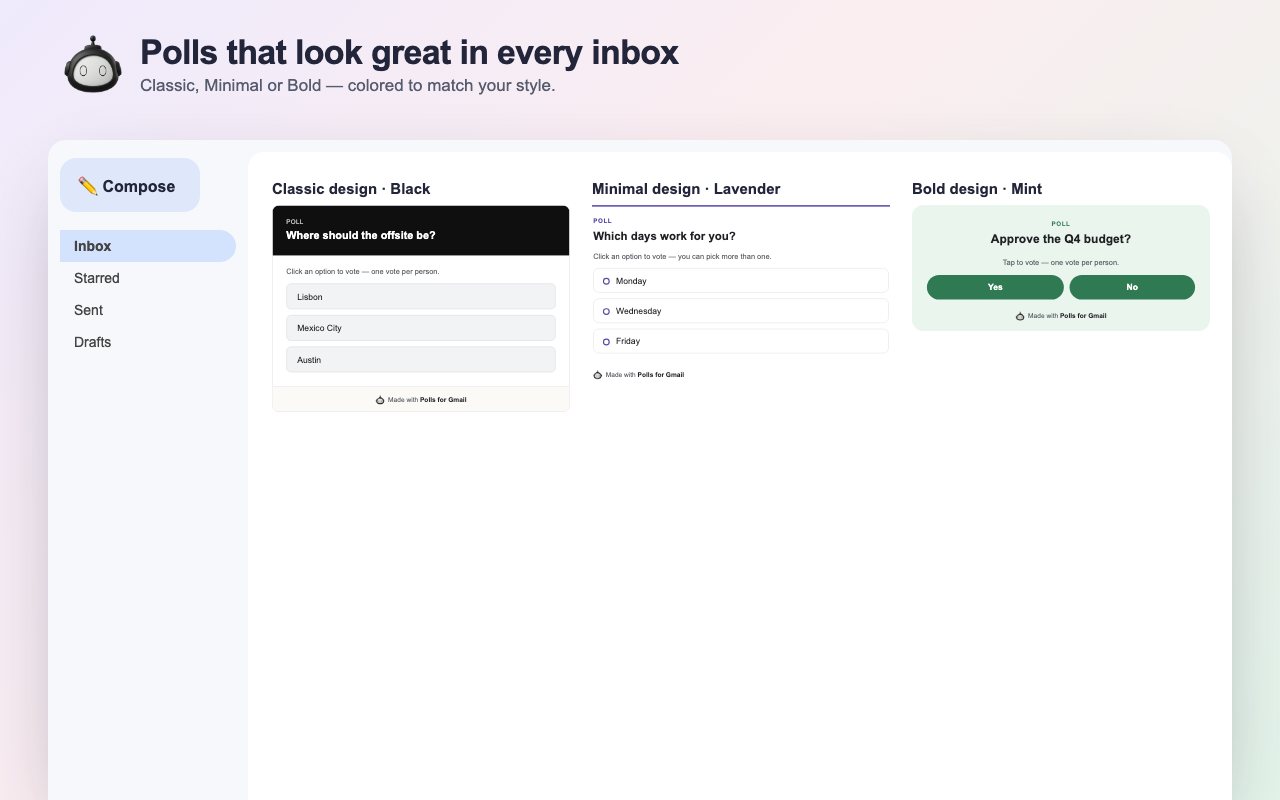
Three poll card designs: Classic, Minimal and Bold
Classic, Minimal, Bold
Live preview

See the poll in your email as you type.

Tap-to-pick dates

Tap days, tap times, done.

Live results

Votes land in Gmail’s sidebar.

One-click scheduling

Turn the winning time into an invite.

No Google permissions

Connect by signing in once.

Desktop Chrome only.

On your phone, or in Safari or Firefox? Get the Gmail add-on. Same account, same polls.

Chrome on Mac, Windows, ChromeOS
iPhone and Androiduse the add-on
Safari and Firefoxuse the add-on
Setup

Ready in two minutes.

1Add it to Chrome

Install Polls for Gmail from the Chrome Web Store. A short welcome guide opens.

2Connect once

Sign in with Google on pollsforgmail.com and click Connect this browser. No extra Google permissions.

3Click the robot

In any Gmail draft, click the robot next to Send. Build your poll, insert it, and send.

FAQ

Questions, answered

Is there a Chrome extension for polls in Gmail?

Yes. The free Polls for Gmail Chrome extension adds a poll button to every Gmail compose window, a live results sidebar, and poll status next to emails that contain a poll. Recipients vote in one click from any inbox.

How is it different from the Gmail add-on?

Both create the same polls in the same account. The extension is much faster, because it runs in your browser instead of waiting on Google’s servers after each click. It’s also much more beautiful. The add-on works everywhere Gmail does, including the Gmail mobile apps.

Does it work on my phone, or in Safari or Firefox?

No. The extension runs in desktop Chrome only. On your phone or in another browser, use the Gmail add-on. It shares your account and polls.

Is it free?

Yes. The Free plan includes every poll type. Standard ($75/year) gives you 5 voted polls a month. Pro ($120/year) adds unlimited polls, multi-question polls, vote reminders, templates, exports and no branding.

Does the extension read my emails?

No. It requests no Google account permissions and never stores or sends email content. When you send an email with a poll you inserted, it notes that email’s To and Cc addresses, so reminders and invites reach the right people.

What kinds of polls can I create?

Single choice, multiple choice, date and time, star rating, yes/no, ranked choice and open-ended. Pro lets you ask up to 5 questions in one poll.

Do recipients need anything to vote?

No. Voting is one click, with no extension, account or app. Polls work in Gmail, Outlook, Apple Mail and every other email client.

How do I schedule a meeting from a poll?

When a date and time poll has a winner, click Schedule in the Polls sidebar. Google Calendar opens with the time and every recipient invited. Review it and click Save.

How do I remove the extension?

Right-click the Polls for Gmail icon in Chrome’s toolbar and choose Remove from Chrome. Your polls stay safe in your account.

Your fastest poll is one click away.

Free for desktop Chrome. Works with your existing account.

Add to Chrome, it’s free Compare with the add-on